
Board reporting from the numbers you plan with
Niblin assembles the monthly board pack from the numbers your finance team already works in: P&L against plan with a bridge, cash and runway, channel and SKU highlights, and inventory. It goes out on the date you set, even while late lines are still landing.
See how Niblin models it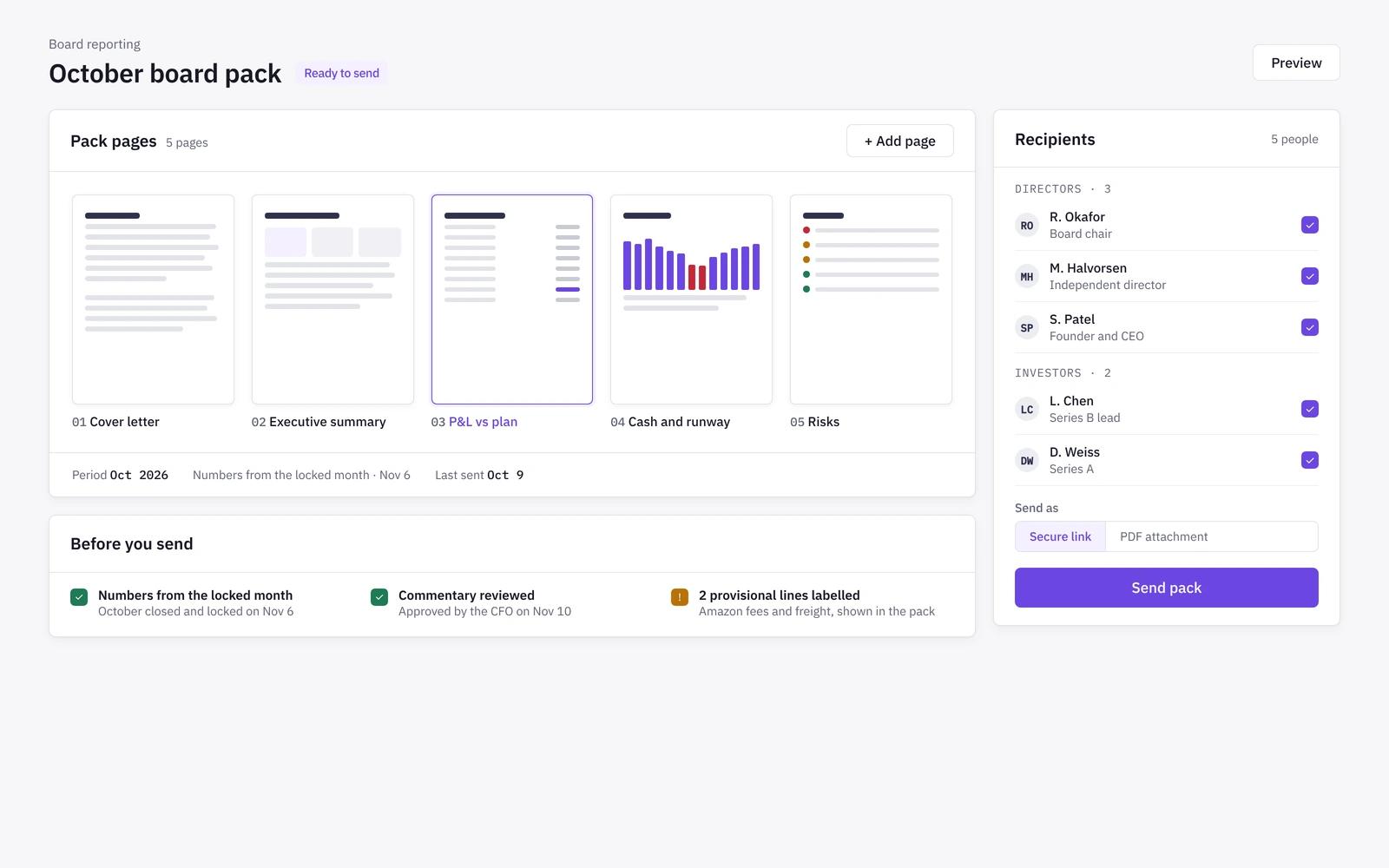
Board pack
The same structure every month
The pack keeps one layout month to month, so the board compares like with like. Our board reporting guide covers which KPIs to include.
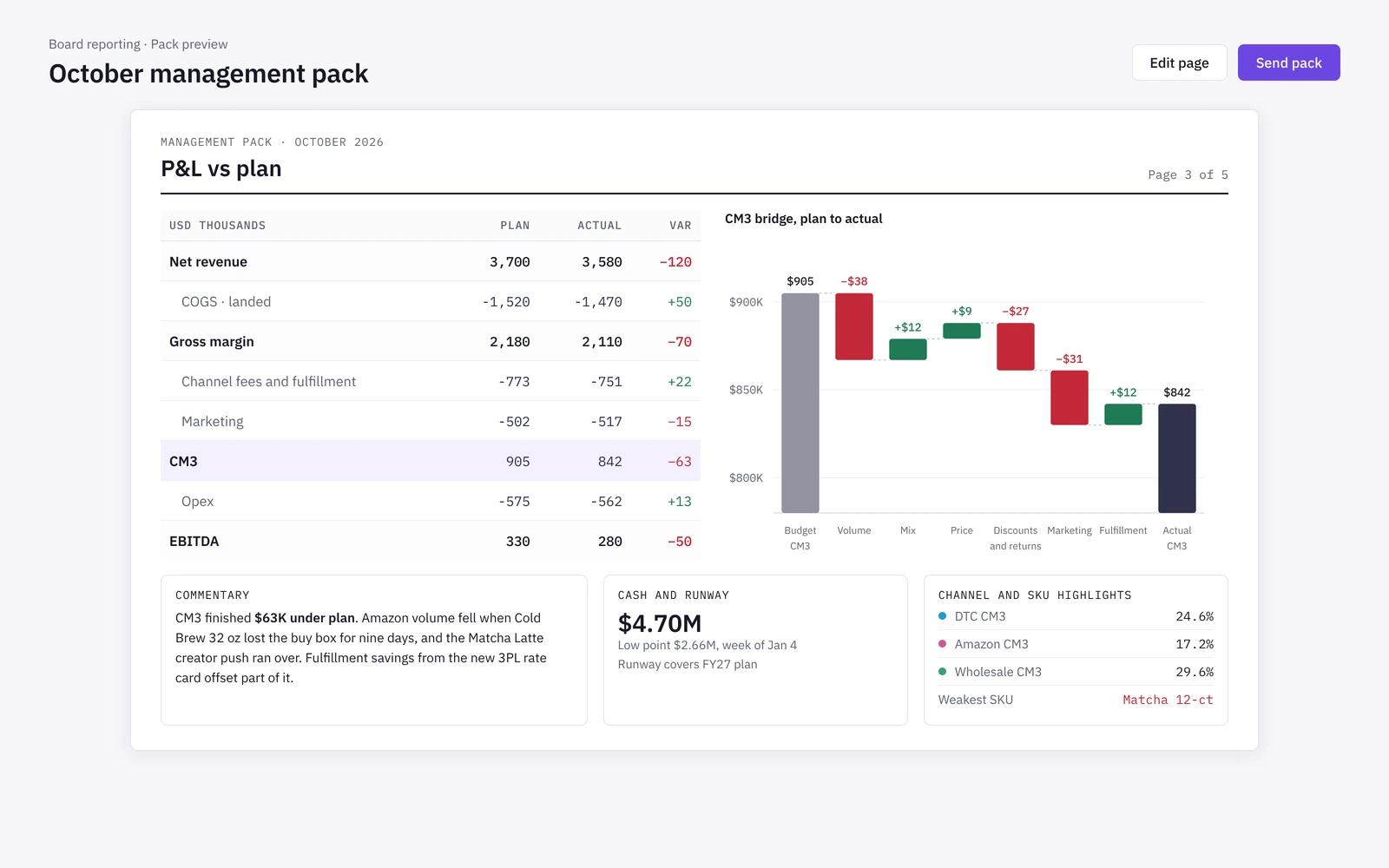
- P&L vs plan with a variance bridge and commentary
- Cash and runway
- Channel and SKU highlights
- Inventory and ageing
Commentary
Narrative drafted from the numbers
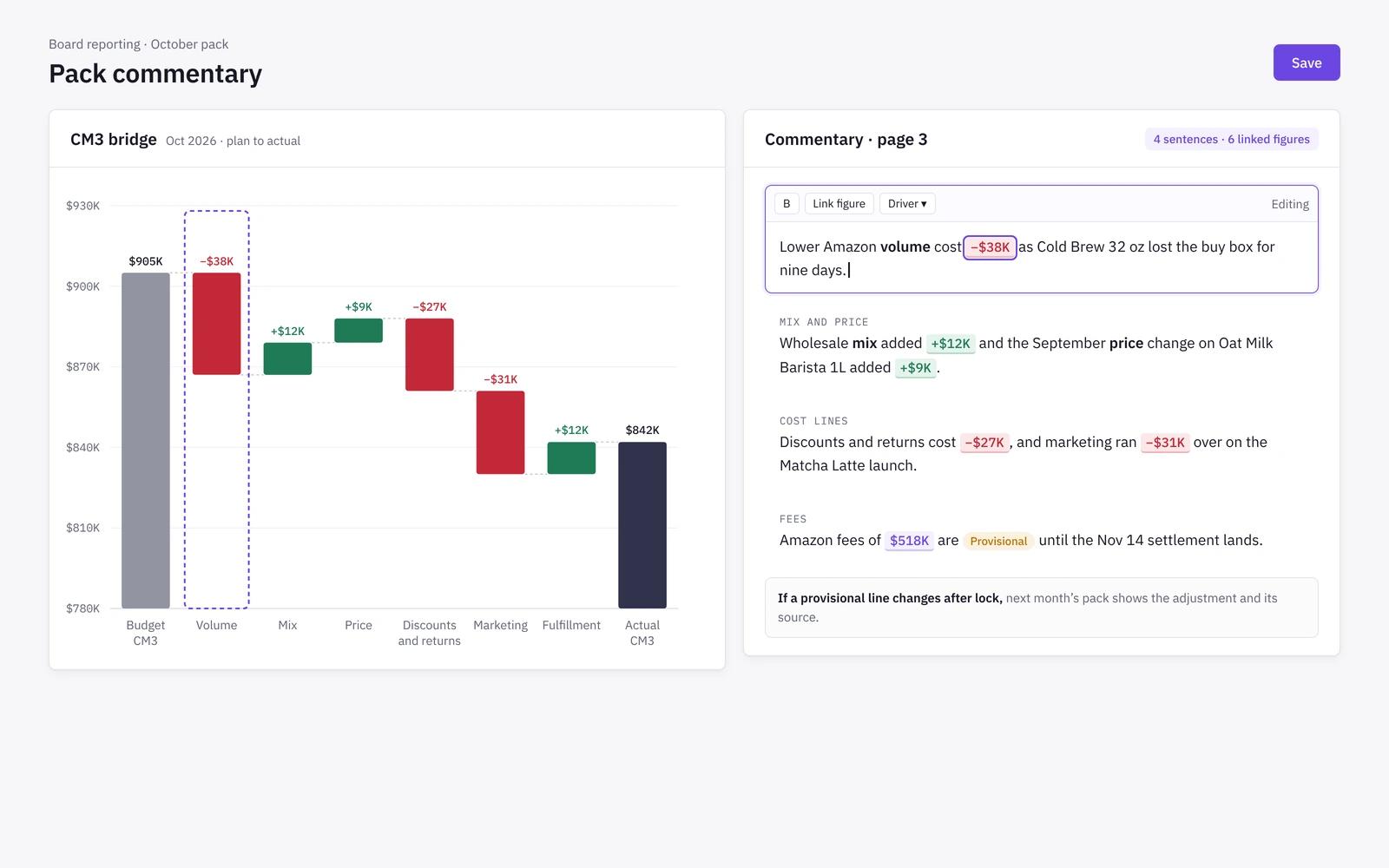
Variance commentary is drafted by rules over the bridge, so it states what moved and why, and each sentence ties back to a figure. Your team edits it before it goes out.
- Drivers named: price, volume, mix and cost lines
- Provisional lines labelled, never hidden
- Next month's pack shows any adjustment
- Comments and review in the same place
Delivery
Scheduled reports to the right people
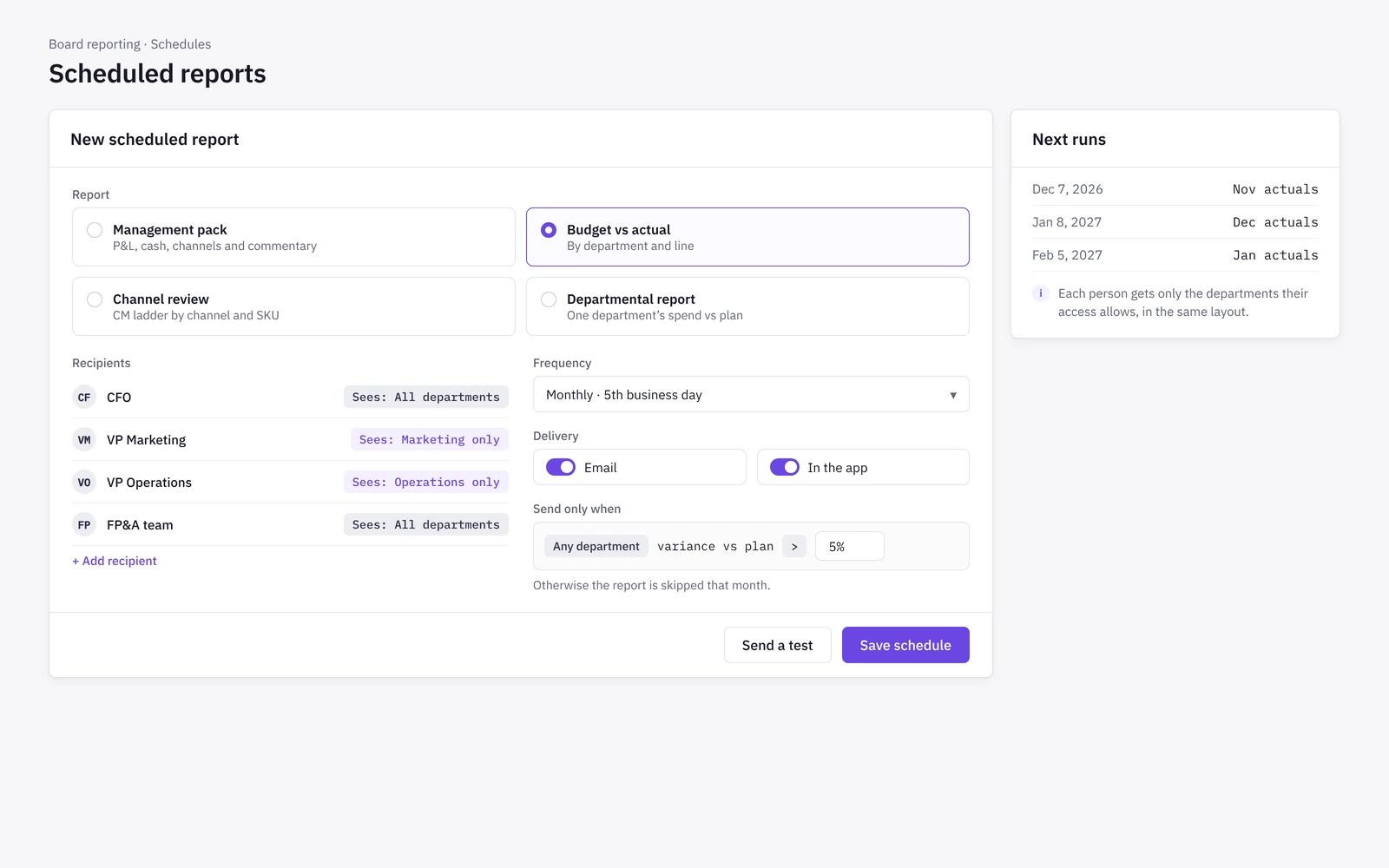
Set up the board pack and standard reports as scheduled deliveries by email or in the app, with PDF or Excel exports.
- Management pack, budget vs actual, channel review and departmental reports
- Recipients see only the scope they are allowed to see
- Optional conditions so a report sends only when a threshold is met
- Failed deliveries raise a flag for an admin
How it works
- 01
Close
Actuals come from the month's close. Lines still landing ship as labelled estimates, so the pack is not held up.
- 02
Assemble
Niblin builds the pack from the P&L, cash, channel and inventory numbers in the plan.
- 03
Review
FP&A and the CFO edit the commentary and sign off.
- 04
Deliver
The pack goes out on its date by email or in the app, as PDF or Excel.
Board reporting in spreadsheets vs in Niblin
Many board packs are rebuilt each month from exports and slides, often by the same analyst who built the model. Most of the work goes into keeping the numbers consistent with the model and the books, not into the story the board needs.
| Spreadsheet model | Niblin | |
|---|---|---|
| Source numbers | Spreadsheet modelExports copied into slides | NiblinThe same numbers finance plans with |
| Layout | Spreadsheet modelRebuilt each month | NiblinThe same structure every month |
| Commentary | Spreadsheet modelWritten from scratch | NiblinDrafted from the bridge, edited by your team |
| Late lines | Spreadsheet modelPack waits or numbers change | NiblinProvisional lines labelled, adjustments shown next month |
| Distribution | Spreadsheet modelAttachments sent by hand | NiblinScheduled delivery by email or in the app |
| Access | Spreadsheet modelEveryone gets the full file | NiblinRecipients see only their allowed scope |
Frequently asked questions
What goes into the Niblin board pack?+
The monthly board pack includes the P&L against plan with a variance bridge and commentary, cash and runway, channel and SKU highlights, and inventory. It keeps the same structure every month and reads the same numbers the finance team uses, so the pack and the model never disagree.
Can we export the board pack?+
Yes. Reports and the board pack export as PDF or Excel, on demand or as a scheduled delivery by email. Any view in the plan can also be exported to a spreadsheet, so your team can add slides or appendices in its own format when the board asks for more detail.
What if some numbers are not final by the pack date?+
The pack goes out on its date. Lines that have not landed yet, such as late settlements or retailer deductions, ship at their accrued estimate with a clear label. When the actual arrives, the next month's pack shows the adjustment, so nothing is quietly restated.
Who writes the commentary?+
Niblin drafts variance commentary from rules over the bridge, naming the drivers behind each move. Your FP&A lead or CFO reviews and edits it before sign-off. Every statement links back to the figures it describes, so reviewers can check the story against the numbers.
Who can receive the board pack and other reports?+
Admins set the recipients for each scheduled report, and each recipient sees only the scope they are allowed to see, such as one department or channel. Reports can send on a schedule or only when a condition is met, and a failed delivery raises a flag so nothing goes missing quietly.
Learn the method
Related solutions
Send the board pack on time, every month
See how Niblin builds the pack, the bridge and the commentary from the numbers your team already plans with.
See how Niblin models it