
Budgeting software built for omnichannel consumer brands
Plan at SKU, channel and month. Niblin turns your history into a driver-based starting point, sends each department its guidance, and walks every plan through approval to one signed-off budget.
See how Niblin models it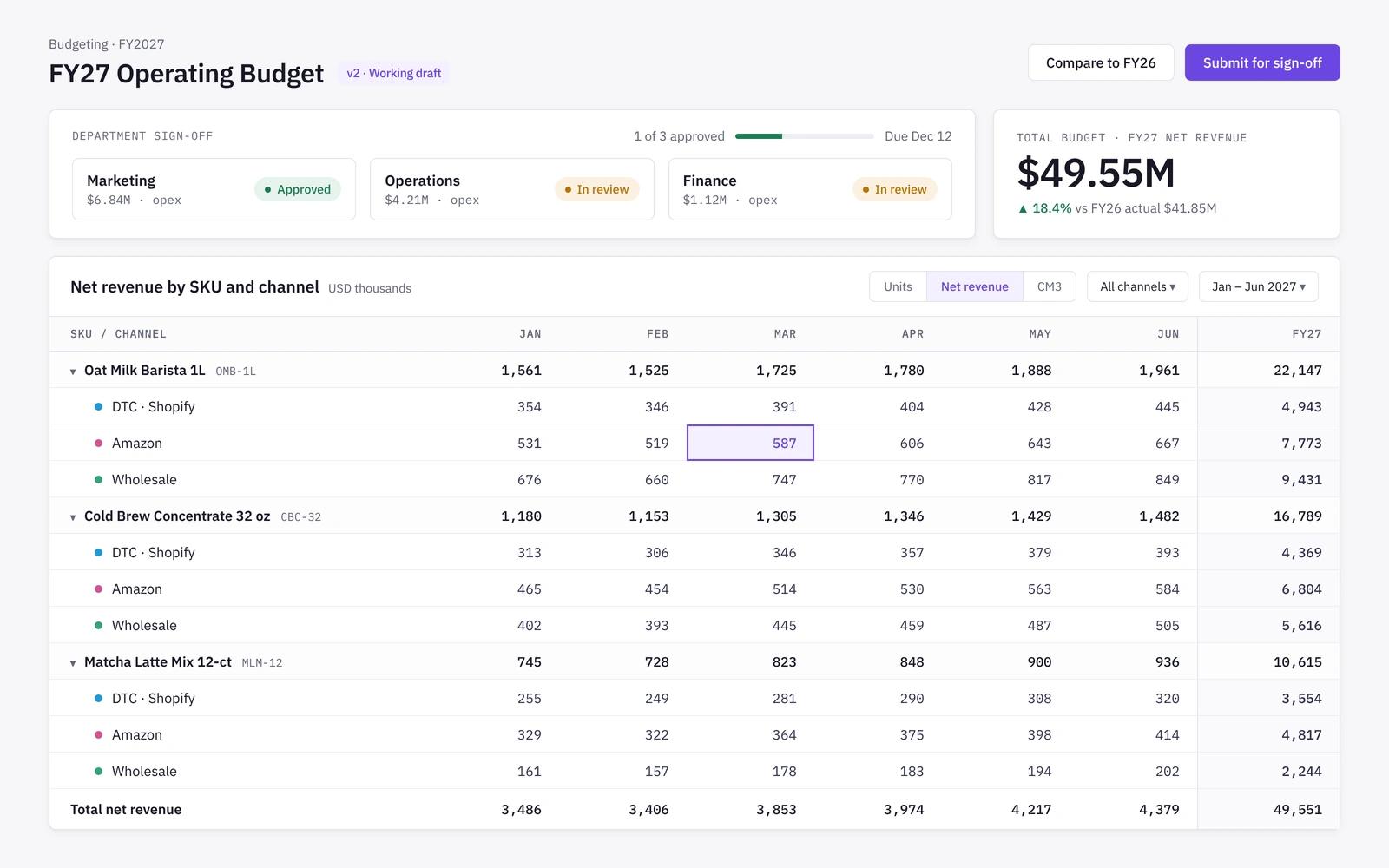
Driver-based
Start from drivers, not a blank sheet
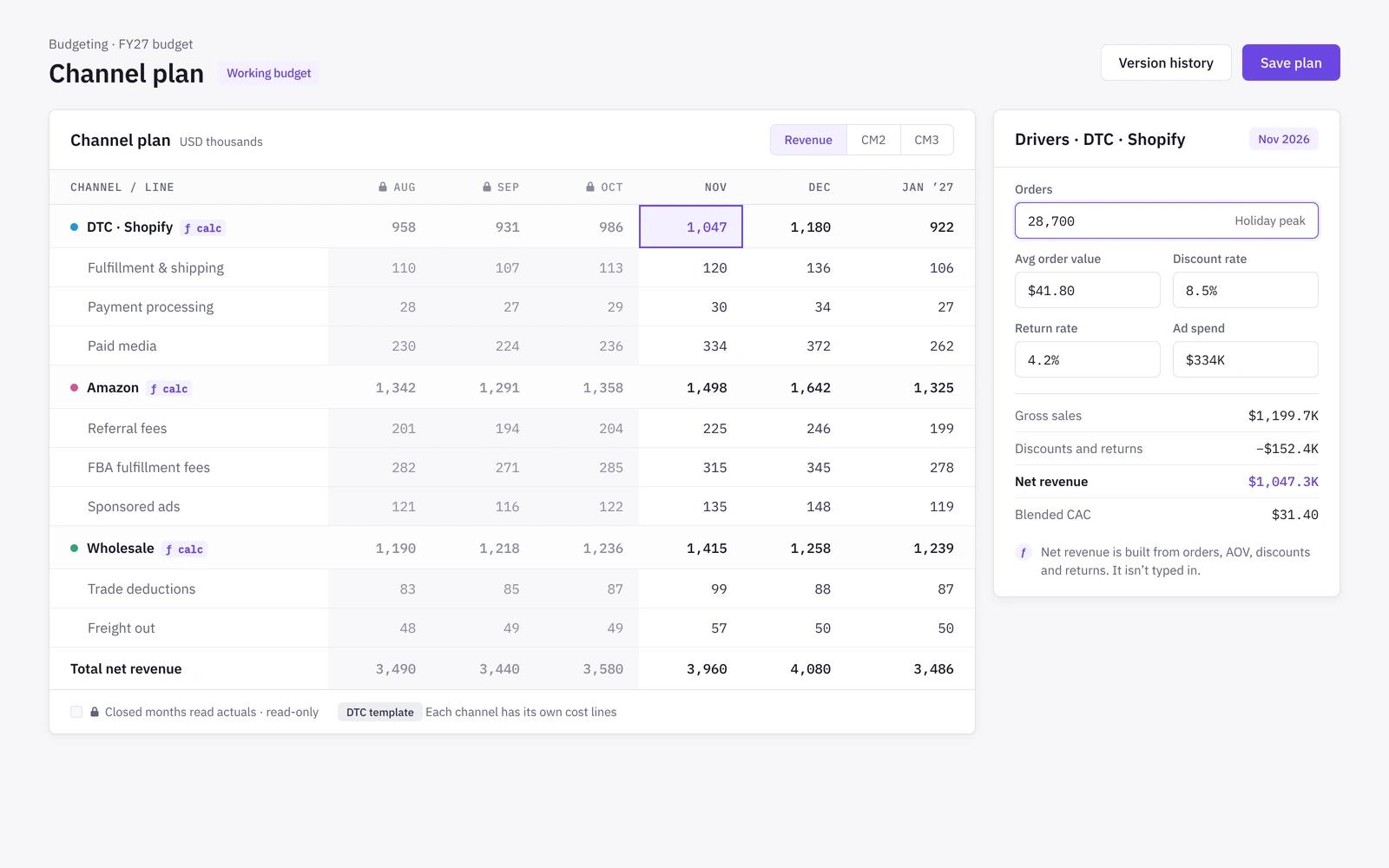
Each channel starts from its own drivers: orders, units, price, discounts, returns, fees and ad spend, all at SKU, channel and month. Planners edit the drivers, and the P&L follows.
- Revenue built from the channel plan, not typed in
- DTC, Amazon and wholesale planned with their own cost structures
- Closed months read actuals and stay read-only
Departments
Department plans with guidance built in
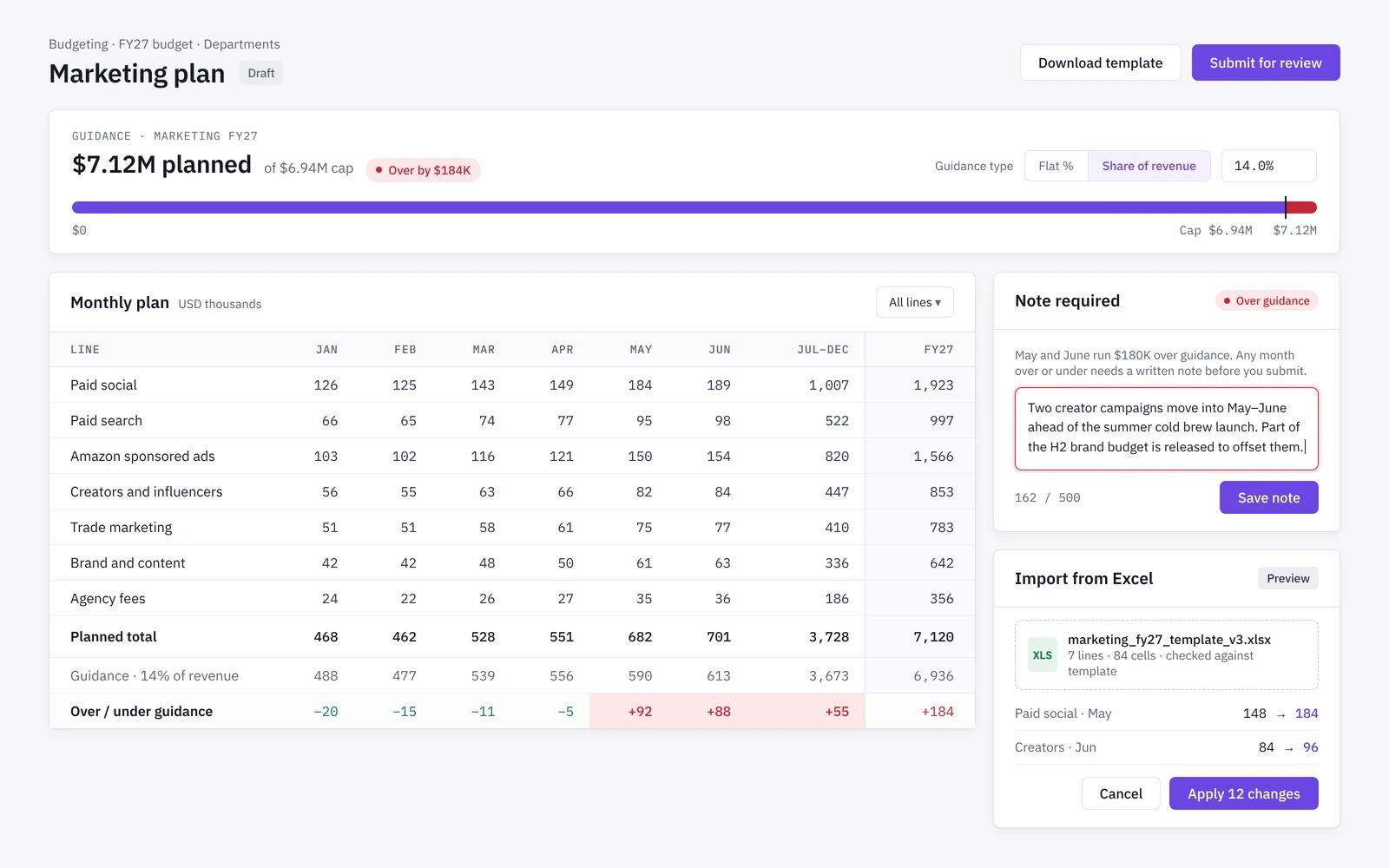
Finance sets top-down guidance such as a revenue growth target and an opex cap. Each department head plans their own lines against it and explains any gap with a note.
- Guidance as a flat percentage or a share of revenue
- Over or under guidance needs a written note
- Excel template upload with a preview before it applies
Approvals
Approval chains and a budget calendar
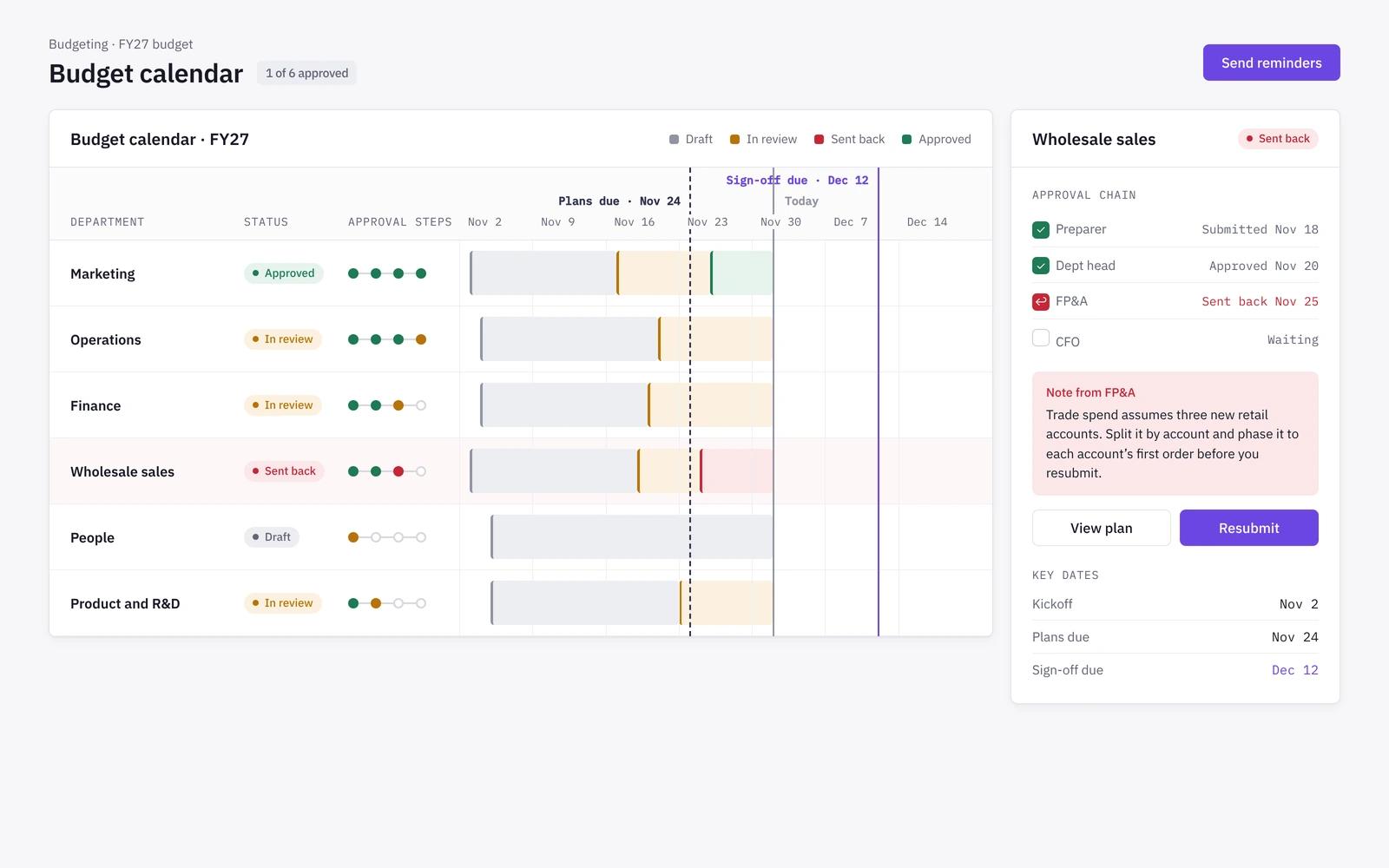
Every department plan moves through its own approval chain, from owner to finance to CFO, with send-back notes and delegation. The budget calendar sets the due dates and stops a step that is not ready.
- Role-based approval steps per department
- Send back with a note, resubmit, approve
- Plans due and sign-off due dates on the calendar
Versions
One approved budget that never moves
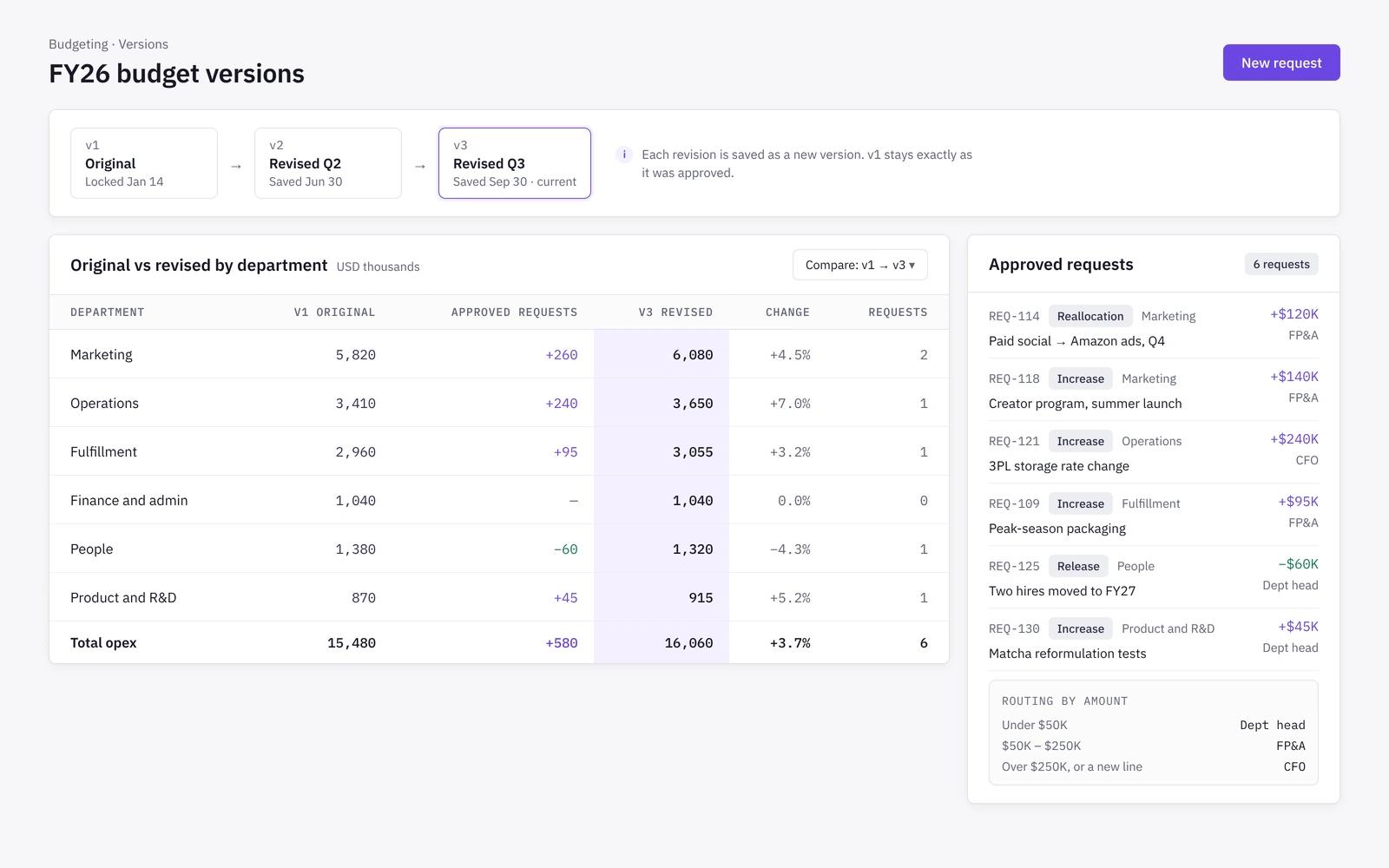
Once signed off, the original budget is locked as the comparator for the year. Approved requests for extra budget, reallocations, new hires and capex land as tracked changes beside it, and a re-budget becomes a revision version.
- Original and revised budget side by side
- Requests routed by type and amount
- Revision versions instead of overwriting
How it works
- 01
Connect
Link Shopify, Amazon, your ad platforms and QuickBooks, Xero or Zoho Books so history and actuals come in from the source.
- 02
Set targets
Finance sets the budget targets and the guidance each department plans against.
- 03
Plan and approve
Channels plan on drivers, departments plan their lines, and each plan moves through its approval chain.
- 04
Sign off
The CFO signs off one budget, which becomes the baseline for variance all year.
Budgeting in spreadsheets vs in Niblin
Spreadsheets are flexible and every finance team knows them. The strain shows when one budget has to hold SKU, channel and department detail through several rounds of review and approval.
| Spreadsheet model | Niblin | |
|---|---|---|
| Starting point | Spreadsheet modelLast year's file, copied and adjusted | NiblinDriver-based baseline from your history |
| Channel detail | Spreadsheet modelTabs per channel, linked by hand | NiblinDTC, Amazon and wholesale on their own cost structures |
| Department input | Spreadsheet modelTemplates emailed out and merged back | NiblinDepartment plans against guidance, with notes on overages |
| Approvals | Spreadsheet modelEmail threads and version names | NiblinRole-based approval chains on a budget calendar |
| Changes after sign-off | Spreadsheet modelOverwrite the file or save a copy | NiblinRevision versions beside the original budget |
| Closed months | Spreadsheet modelPasted actuals that can drift | NiblinActuals, read-only once a month closes |
Frequently asked questions
What level of detail can we budget at in Niblin?+
Revenue and channel costs are budgeted at SKU, channel and month, built from drivers such as orders, price, discounts, returns, fees and ad spend. Department costs are planned by department and month. You can roll up to category, channel, entity and company without keeping a second model.
How does Niblin handle wholesale and retail channels in the budget?+
Wholesale, retail and distributor accounts are planned as channels in their own right, with their own fee waterfall, deductions, payment terms and seasonality. They sit beside DTC and Amazon in one budget instead of a single wholesale line in a spreadsheet.
Can department heads work in Excel?+
Yes. Department heads can download a template, plan in Excel and upload it back. Niblin shows a preview of what will change and lists anything it skipped, such as a closed month or a locked plan, before the upload applies.
What happens to the budget when plans change mid-year?+
The approved budget stays fixed as the comparator. Approved requests for extra budget, reallocations, new hires and capex are tracked as changes beside it, giving you an original and a revised budget. A full re-budget is saved as a revision version.
Who uses Niblin for budgeting?+
The FP&A analyst or finance lead runs the cycle, department heads plan their own lines, and the CFO or founder signs off. Your analyst stops being the data plumber and spends the budget season on the assumptions instead of stitching exports together.
Learn the method
Related solutions
Run your next budget cycle in Niblin
Driver-based budgets at SKU, channel and month, with department plans and approvals in one place.
See how Niblin models it