
Scenario planning software to test decisions before you commit
Model a new retail channel, a price change, a promo or a tariff on top of your plan, compare the outcomes side by side, and promote the scenario you choose.
See how Niblin models it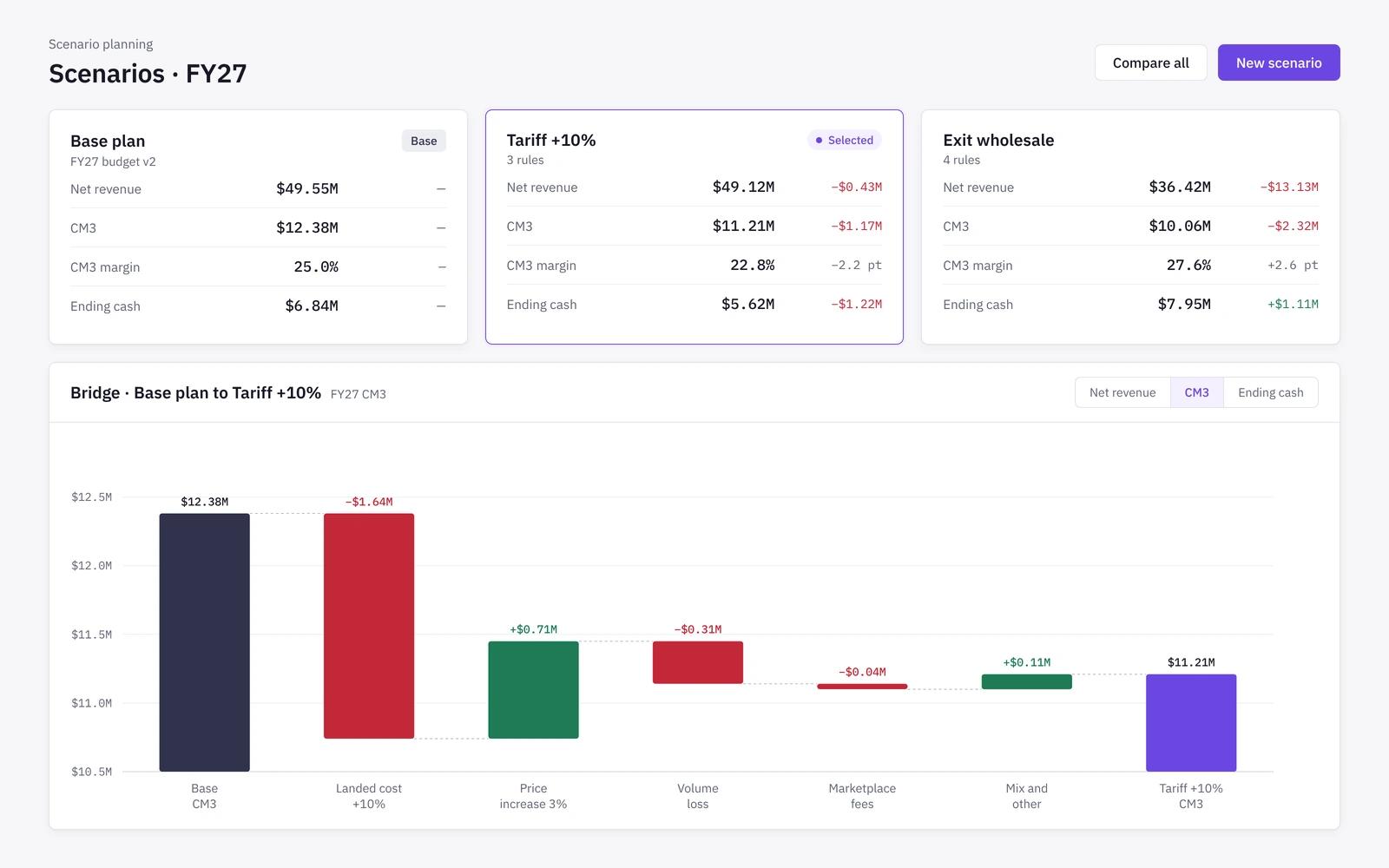
Scenario types
The decisions consumer brands actually face
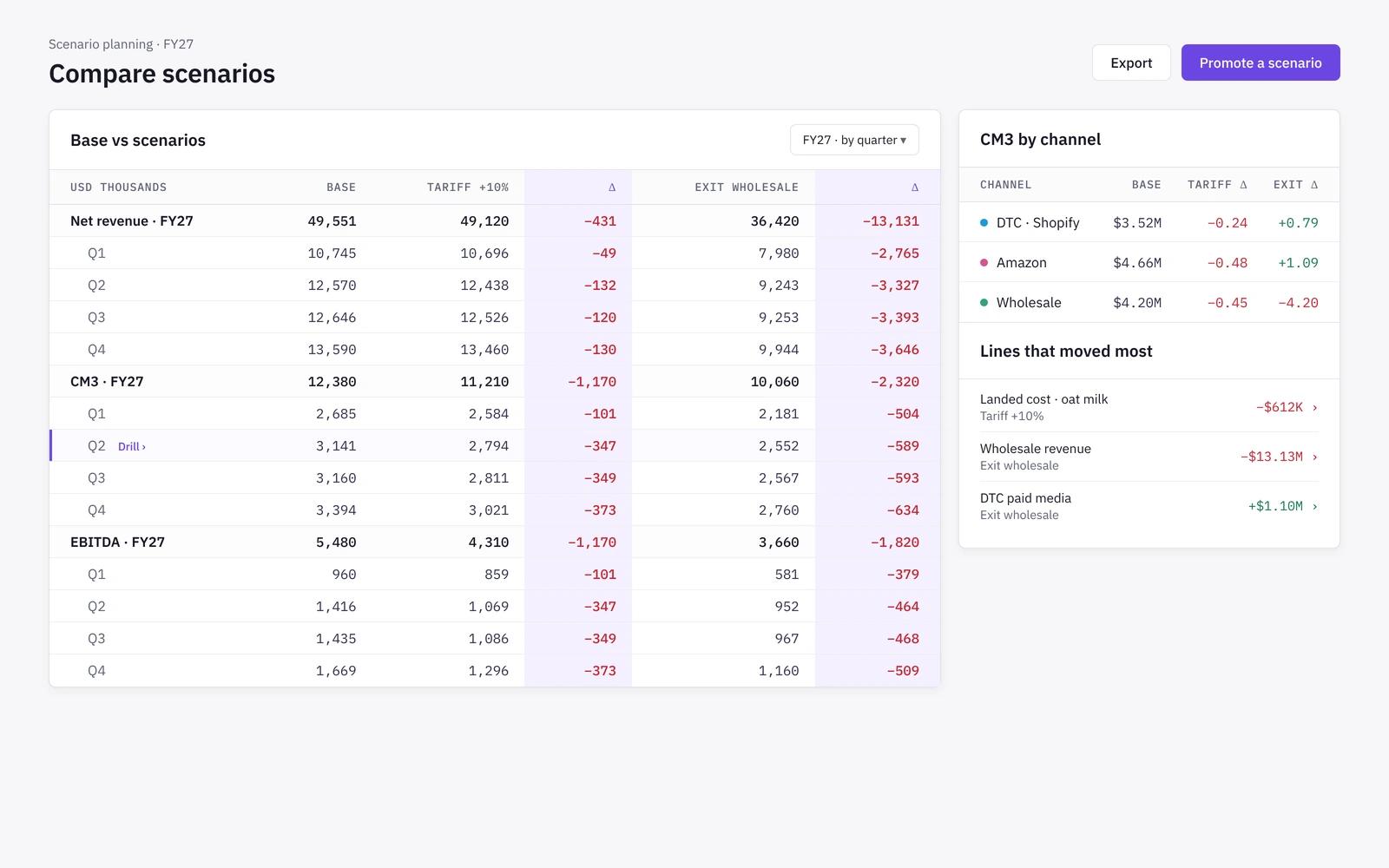
Set up scenarios for the moves that change a brand: entering or leaving a channel, a price or pack change, a promo calendar, a fee change, a tariff, a new supplier or a new SKU.
- Channel entry and exit
- Price, pack and promo changes
- Tariff, fee and supplier changes
- New category or SKU launches
Rules
Scenarios built as rules on your plan
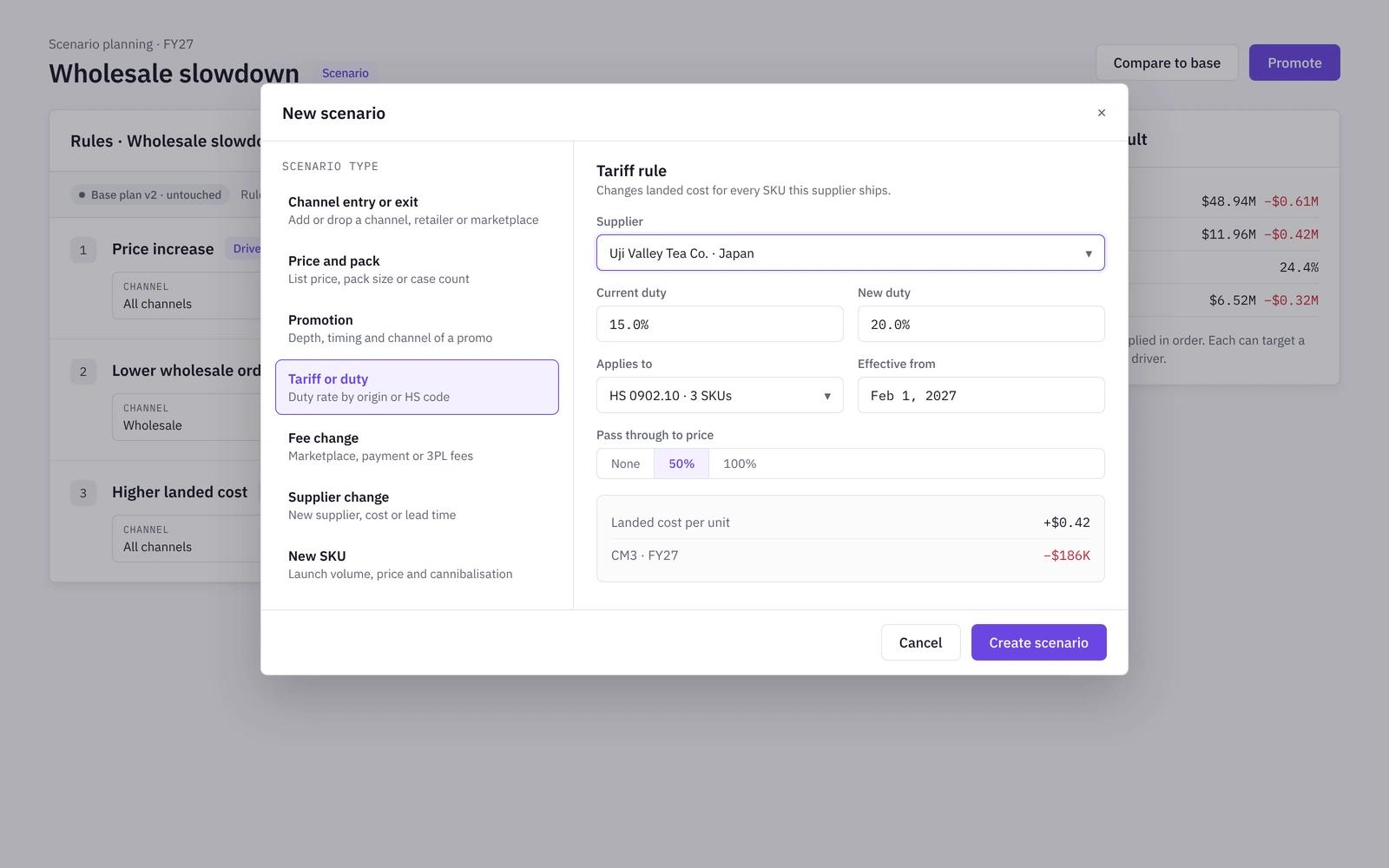
A scenario is a set of rules on lines and drivers, applied on top of the working forecast. Each channel applies the rule on its own cost basis, so a tariff or fee change lands correctly across DTC, Amazon and wholesale.
- Rules target a line or a driver
- Scope by channel, category, SKU and month
- The base plan stays untouched
- Rules are audited like any plan edit
Compare
Compare scenarios side by side
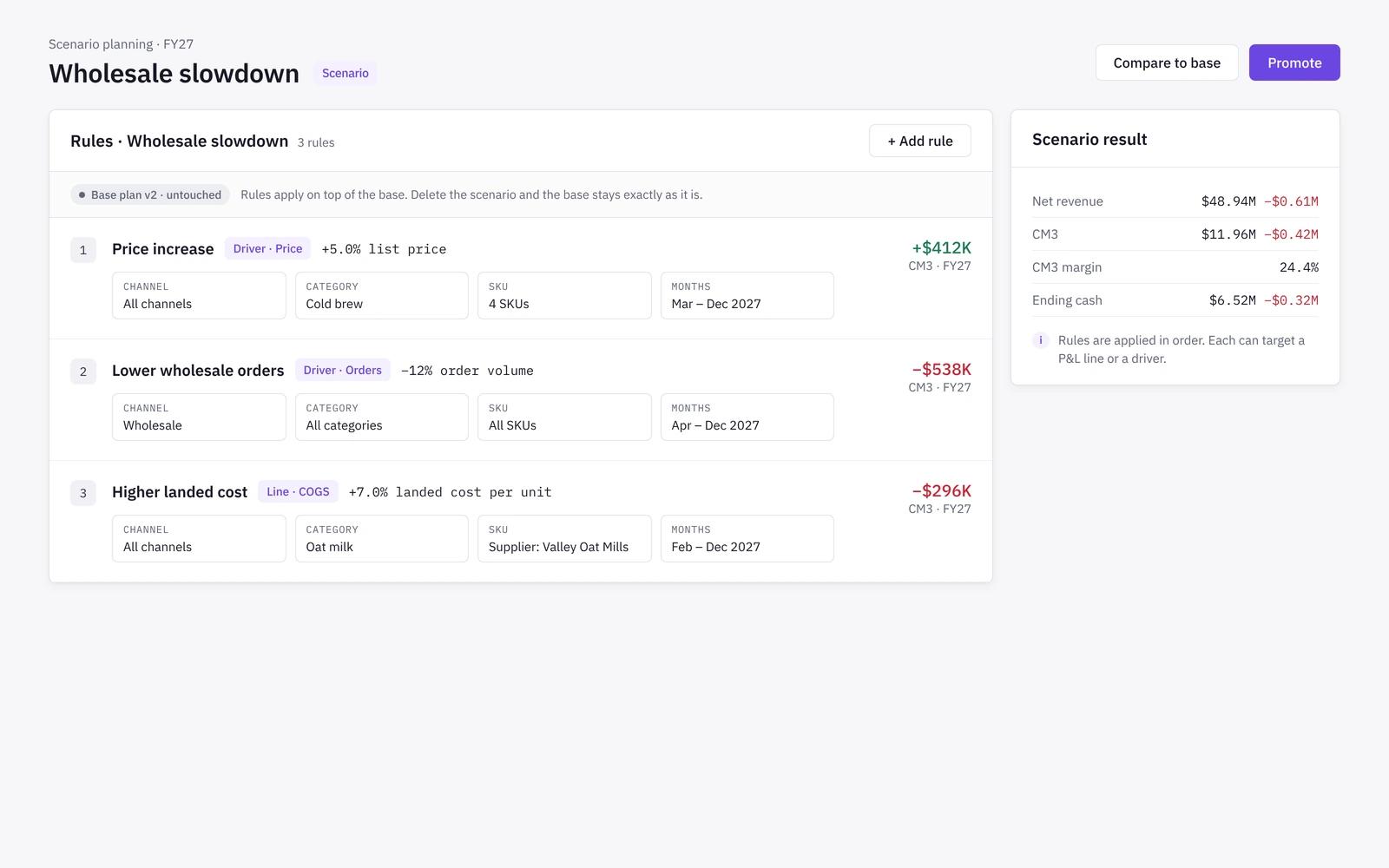
See every scenario against the base plan on revenue, contribution and profit, by channel and month. The trade-offs are visible before anyone commits.
- Base versus scenarios in one view
- Contribution by channel, not just top line
- Drill into the lines that moved
- Share a scenario with leadership
Promote
Promote the scenario you choose
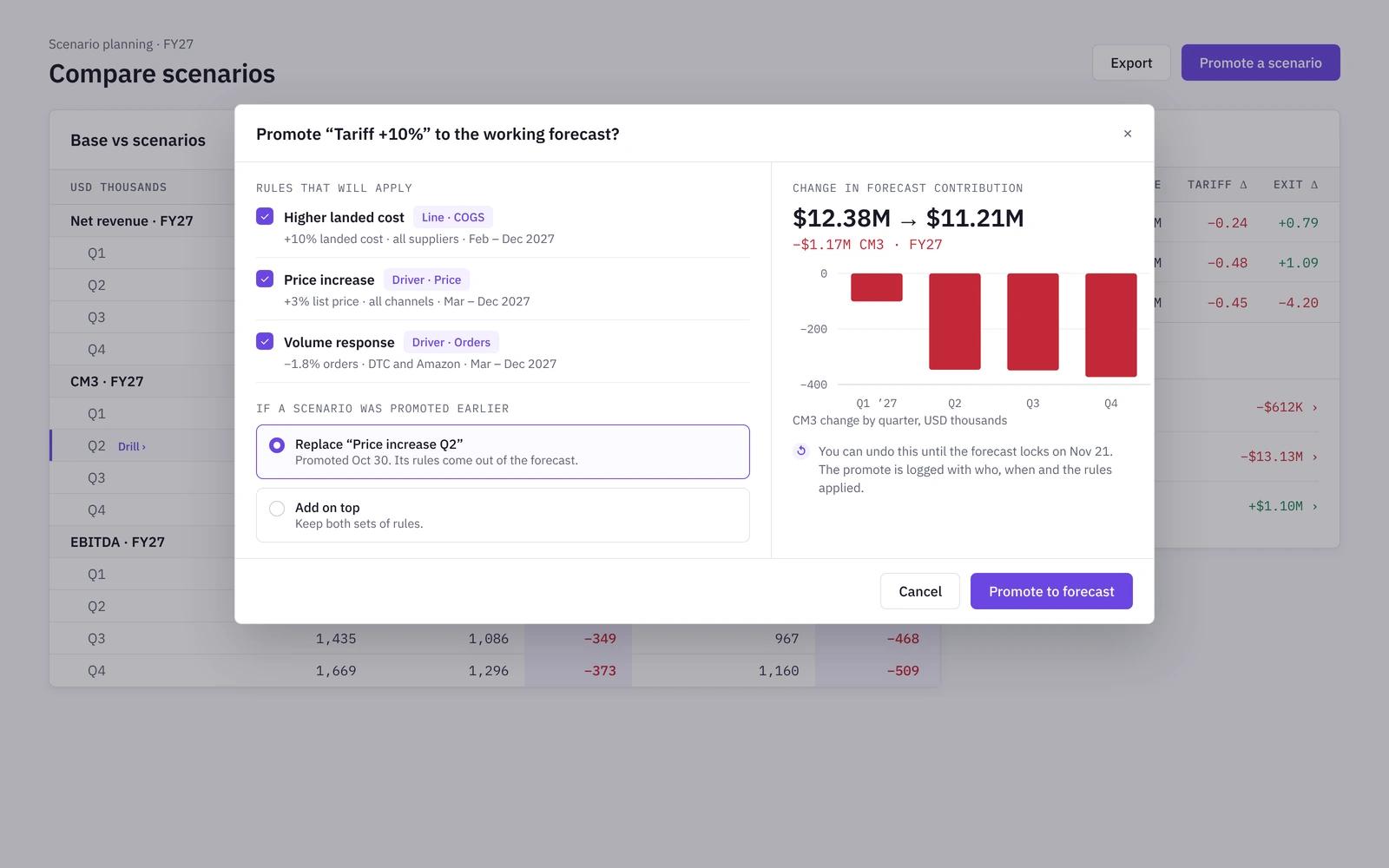
When leadership picks a scenario, promote it into the working forecast in one step. Promotes are verified and can be undone, so the plan never drifts from what was agreed.
- Promote into the working forecast
- Undo or replace a promote
- Every promote is audited
- Single-driver tests live in forecasting
How it works
- 01
Pick a decision
Choose the scenario type, such as a channel launch, price change or tariff.
- 02
Set the rules
Define what changes, for which channels, categories, SKUs and months.
- 03
Compare
Review every scenario against the base plan on revenue, contribution and profit.
- 04
Promote
Promote the chosen scenario into the working forecast, with a full audit trail.
Scenario planning in spreadsheets vs in Niblin
Most teams build scenarios as copies of the model. That works until the base plan changes and every copy has to be brought back in line by hand.
| Spreadsheet model | Niblin | |
|---|---|---|
| How scenarios are built | Spreadsheet modelCopies of the whole model | NiblinRules on top of the base plan |
| Scope | Spreadsheet modelEdited cell by cell | NiblinBy channel, category, SKU and month |
| Base plan | Spreadsheet modelAt risk of being overwritten | NiblinStays untouched until you promote |
| Comparison | Spreadsheet modelSide-by-side tabs built by hand | NiblinBase versus scenarios on revenue, contribution and profit |
| Adopting a scenario | Spreadsheet modelPaste values into the plan | NiblinPromote into the working forecast, with undo |
| Audit trail | Spreadsheet modelHard to reconstruct later | NiblinEvery rule and promote is audited |
Frequently asked questions
What kinds of scenarios can we model in Niblin?+
Niblin is set up for the decisions consumer brands make: entering or exiting a channel, price and pack changes, promo calendars, fee changes, tariffs, supplier changes and new SKUs or categories. Each scenario is a set of rules on your plan, scoped by channel, category, SKU and month.
How is scenario planning different from sensitivity analysis?+
A scenario moves several assumptions together to describe one possible future, such as launching with a national retailer. Sensitivity analysis moves one driver at a time to rank which drivers matter most. Niblin runs driver sensitivity as part of forecasting and scenarios here.
Does a scenario change our forecast?+
No. Scenarios sit on top of the working forecast and leave it untouched until someone promotes one. A promote applies the scenario rules to the working forecast, is verified and audited, and can be undone or replaced if the decision changes.
Can we model a new wholesale or retail account as a scenario?+
Yes. A new retail or distributor account is modelled as a channel with its own fee waterfall, deductions, payment terms and seasonality. You can compare its effect on contribution and profit against the base plan before you sign the deal.
Learn the method
Related solutions
Model your next channel or price change
Scenarios for consumer brands, compared against your plan before you commit.
See how Niblin models it