
Headcount planning and opex budgets next to the P&L
Department heads build their own operating budgets and hiring plans in Niblin. Payroll, opex, capex and depreciation land in the same income statement as your channel margins, with one approval chain.
See how Niblin models it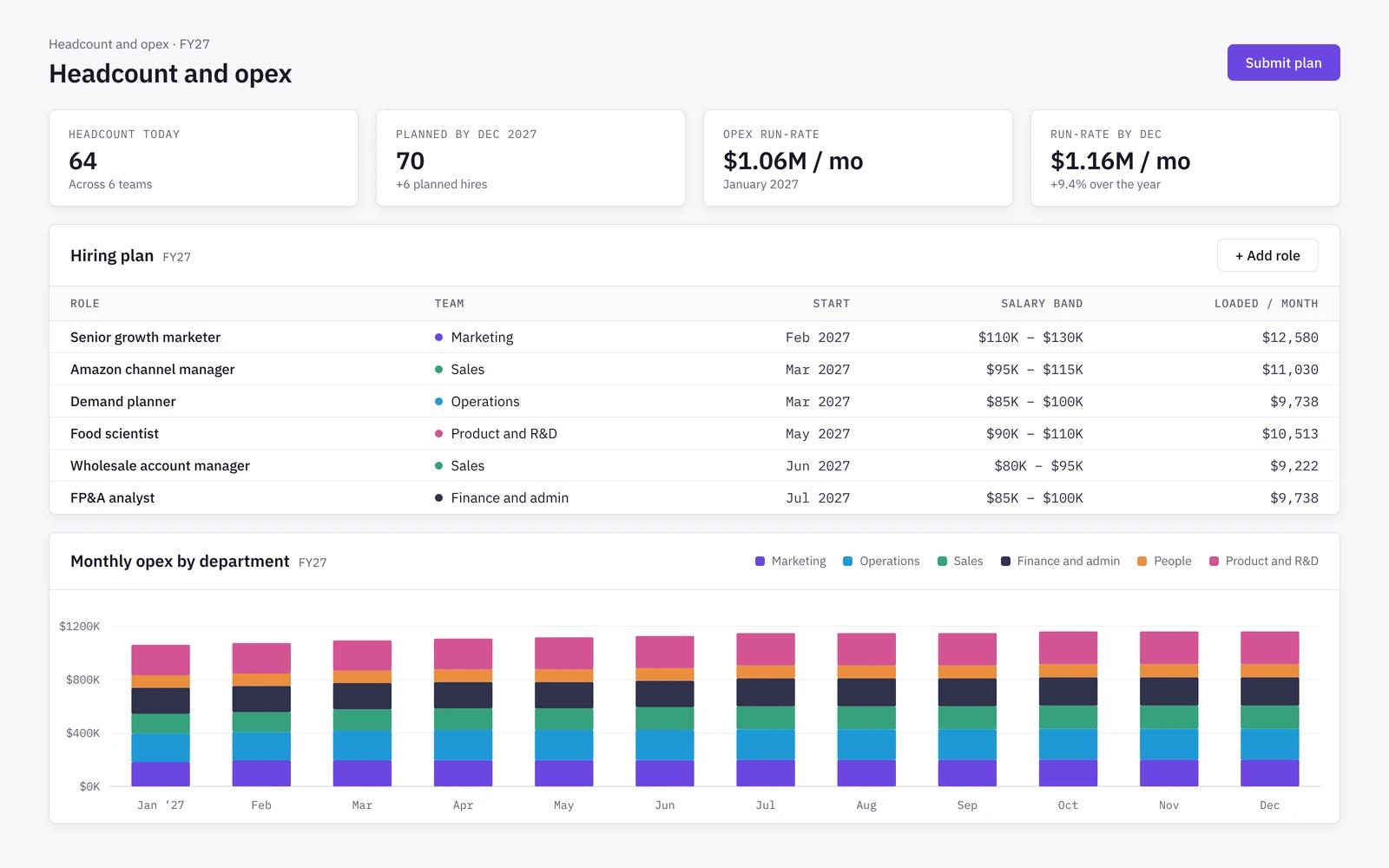
Workforce
Hiring plans without salary spreadsheets
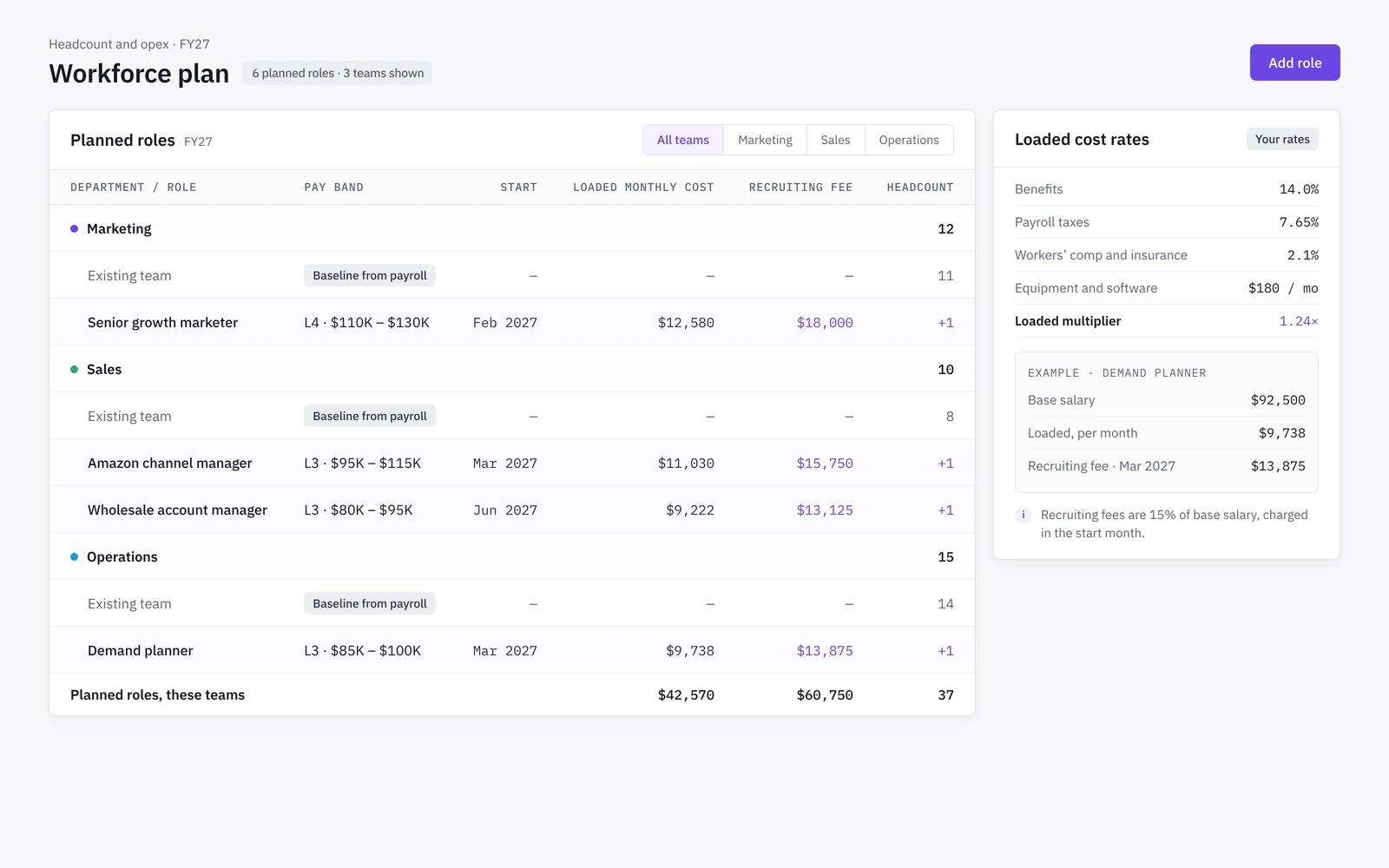
Plan roles by department with a pay band, start month and loaded cost factor. Niblin costs each role from its band, so individual salaries never sit in the plan. Our headcount planning guide covers the method.
- Existing team baseline plus planned roles
- Loaded cost covers benefits, payroll taxes and insurance at your rates
- Recruiting fees charged in the start month
- Headcount and payroll by department and month
Operating budget
Department budgets with guardrails
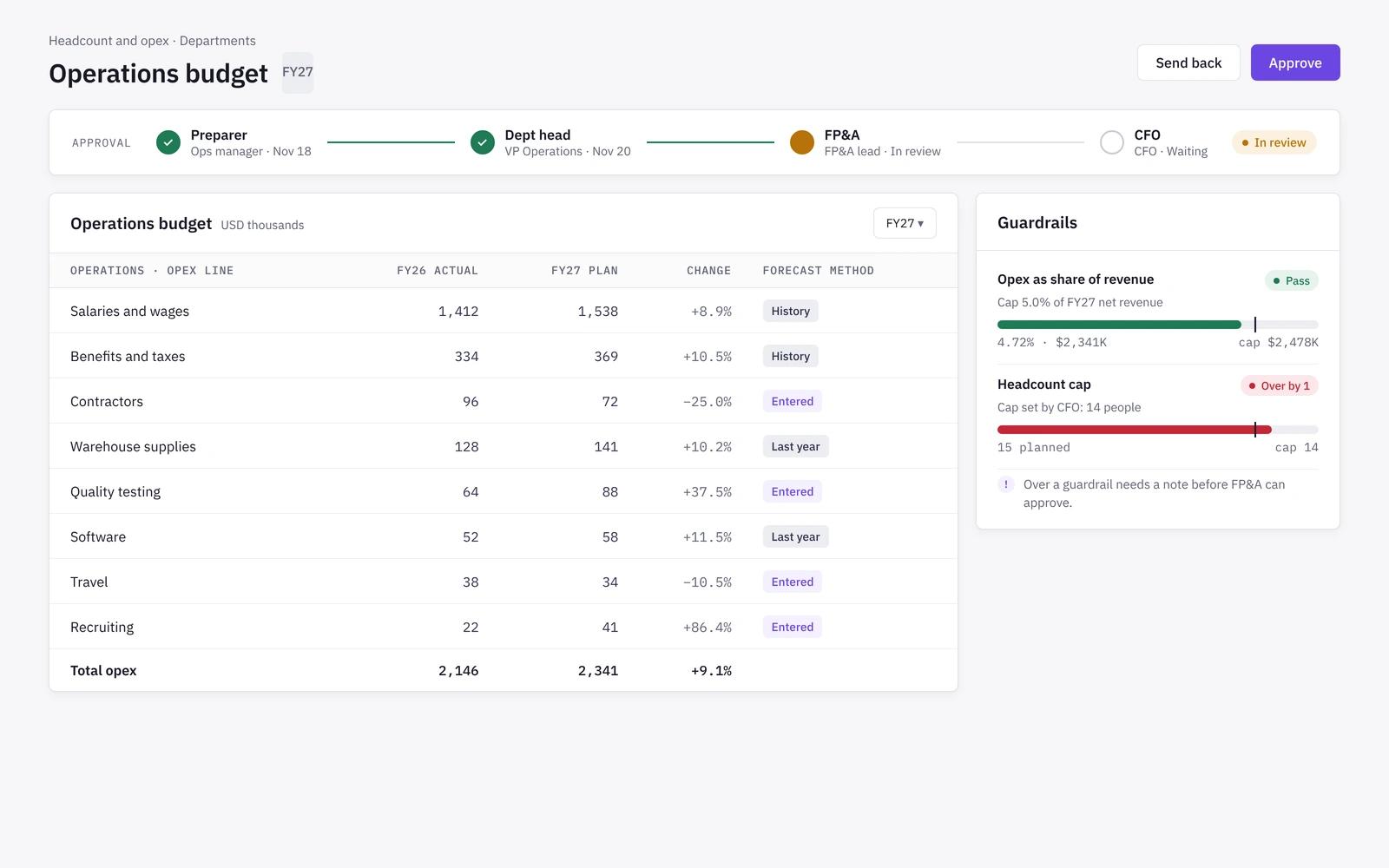
Each department submits its opex lines through an approval chain. Before submitting, a department sees its plan against last year, company targets and the guardrails finance sets.
- Preparer, department head, FP&A and CFO steps
- Guardrails such as opex as a share of revenue or a headcount cap
- Opex forecast from history, last year or entered values
- Mid-year department reforecasts kept beside the approved version
Capex
Capex and depreciation in the plan
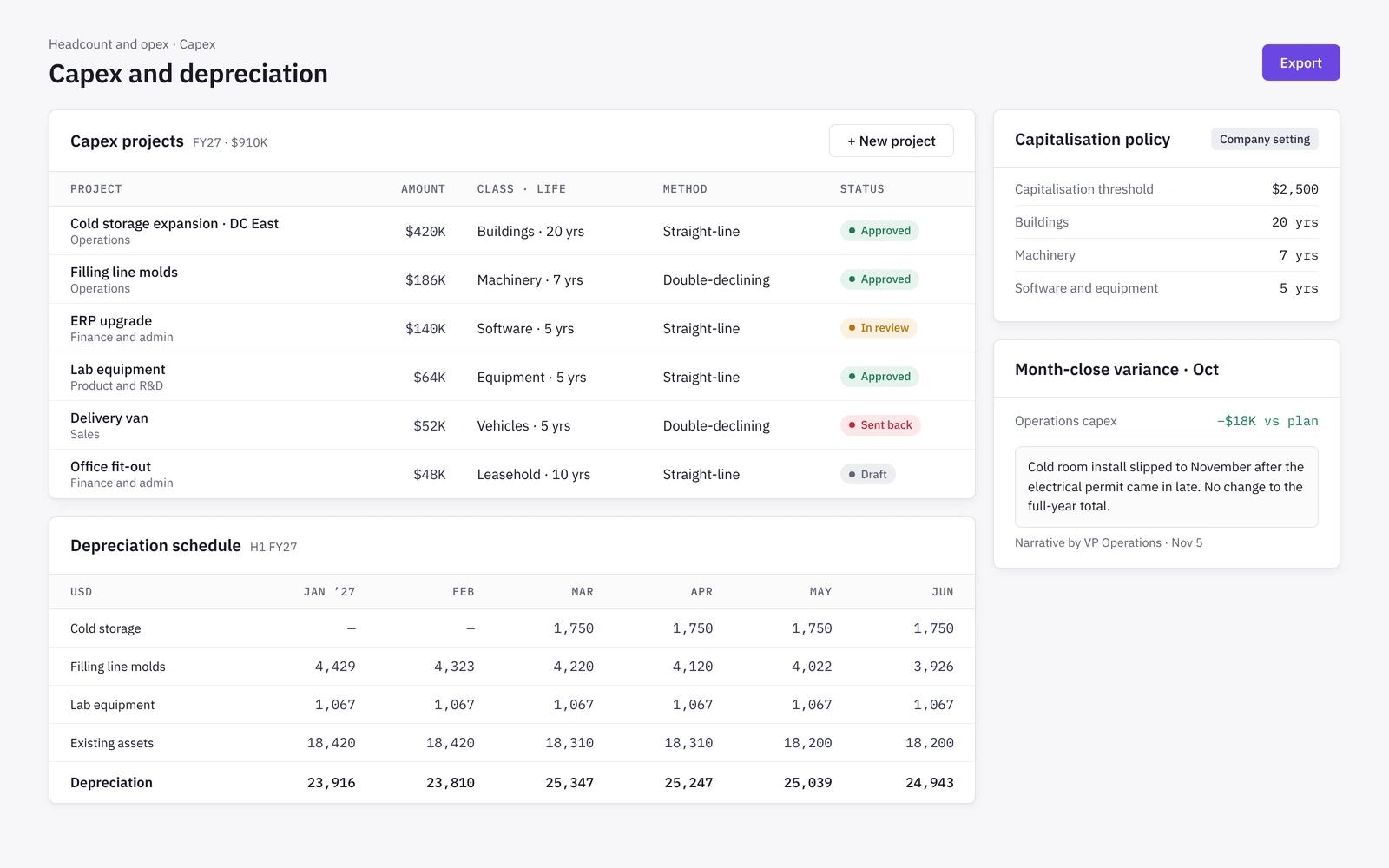
Capital projects go through their own request and approval. Approved projects add depreciation to the income statement and spend to the cash forecast, using your capitalisation policy.
- Capitalisation threshold and useful life set per company
- Straight-line or accelerated depreciation per asset
- Department variance with narrative at month close
- Department heads see only their own lines
How it works
- 01
Set up
Load departments, the current team as pay bands, and your loaded cost and recruiting fee factors.
- 02
Plan
Department heads enter roles, opex lines and capex projects, and check them against guardrails.
- 03
Approve
Plans move through the approval chain to the CFO. Approved lines land in the company income statement.
- 04
Track
Actuals from your accounting system are compared with plan by department each month.
Headcount planning in spreadsheets vs in Niblin
Hiring plans in spreadsheets often carry salary detail, sit apart from the P&L and get checked against payroll by hand after the fact. Department heads plan in their own copies, and finance merges them back into one view before every review.
| Spreadsheet model | Niblin | |
|---|---|---|
| Team baseline | Spreadsheet modelSalary list kept by finance | NiblinCurrent team as pay bands |
| Loaded cost | Spreadsheet modelOne rough uplift | NiblinBenefits, payroll taxes and insurance at your rates |
| Department input | Spreadsheet modelTemplates sent and merged | NiblinDepartment heads plan their own lines |
| Controls | Spreadsheet modelReviewed after the fact | NiblinGuardrails such as an opex share or headcount cap |
| Capex | Spreadsheet modelA separate schedule | NiblinCapex and depreciation in the same plan |
| Access | Spreadsheet modelWhole file shared | NiblinDepartment heads see only their own lines |
Frequently asked questions
Do we have to put individual salaries into Niblin?+
No. Niblin never stores salary data per person. Roles are costed from pay band midpoints and a loaded cost factor you set, which is enough to plan payroll at department level. Payroll detail stays in your payroll system, and Niblin compares department totals with plan at close.
Where do opex actuals come from?+
Opex actuals come from your general ledger in QuickBooks, Xero or Zoho Books, assigned to departments and lines. Each open month is forecast from trailing months, the same month last year with a trend, the budget value or an entered amount, using the method you choose for each line.
How does headcount planning connect to the rest of the plan?+
Payroll, opex and depreciation land below contribution margin in the one company income statement, and hiring and capex flow into the cash forecast. A hiring plan shows its effect on operating profit and runway alongside channel margins, scenarios and the board pack, with no separate workbook to reconcile.
Who approves department plans?+
You configure the chain. A typical setup runs preparer, department head, FP&A review and CFO approval, with larger capex requests going to the board. Plans sent back return to the preparer with comments, and an approved plan stays as the reference when a department reforecasts later in the year.
Do we have to store individual salaries in Niblin?+
No. The current team is loaded as pay bands, and planned roles carry a band, a start month and your loaded cost factor for benefits, payroll taxes and insurance. That gives finance headcount and payroll by department and month without keeping per-person salary data in the planning model.
Learn the method
Related solutions
Put hiring and overhead in the same model as margin
See how Niblin turns department plans into payroll, opex and cash, with approvals built in.
See how Niblin models it