
Forecasting software for a rolling forecast that absorbs change
Niblin builds a driver-based forecast from an AI baseline on your own history, re-cuts it every month after close, and shows which drivers matter most to profit and cash.
See how Niblin models it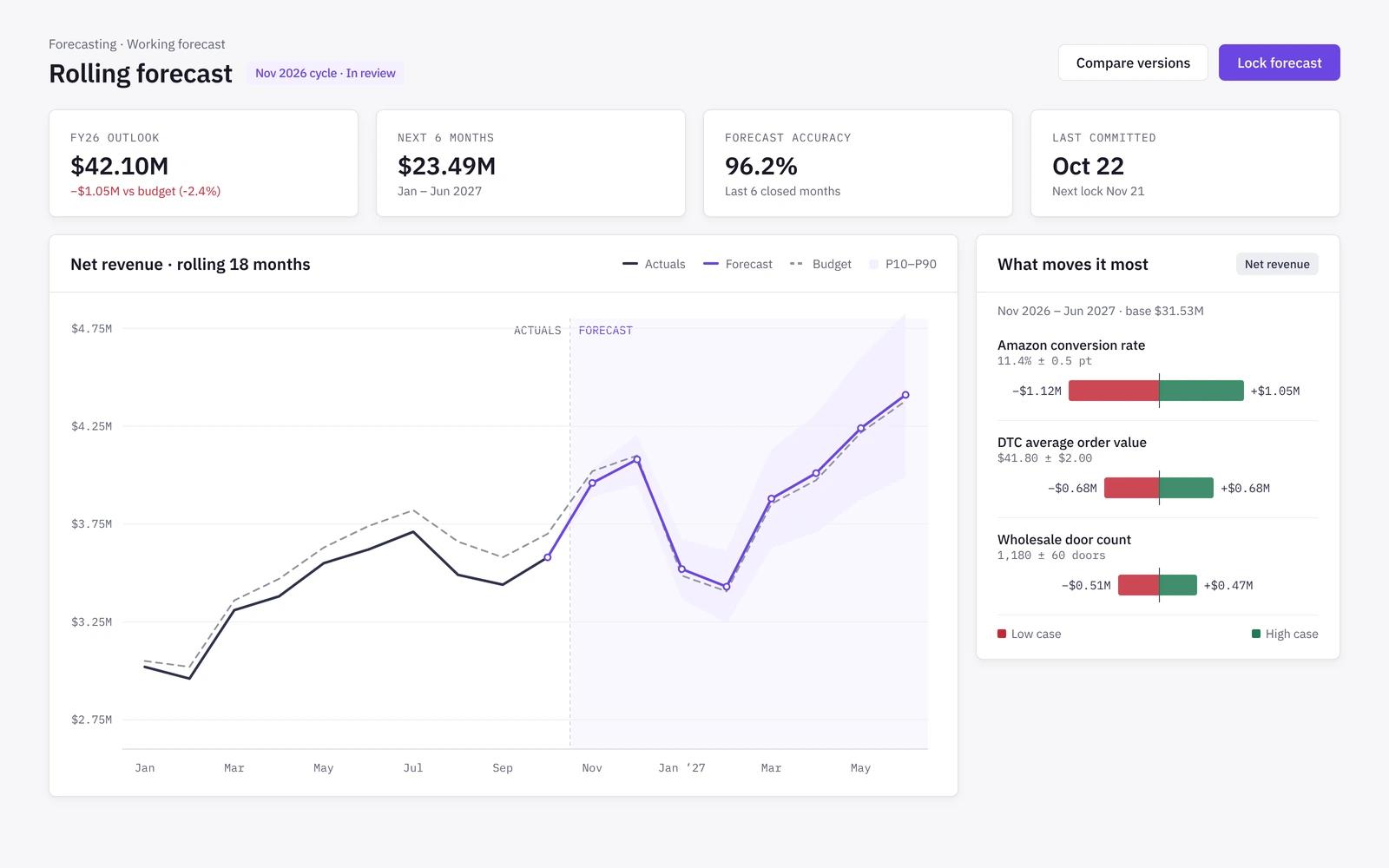
Baseline
Start from an AI baseline built on your history
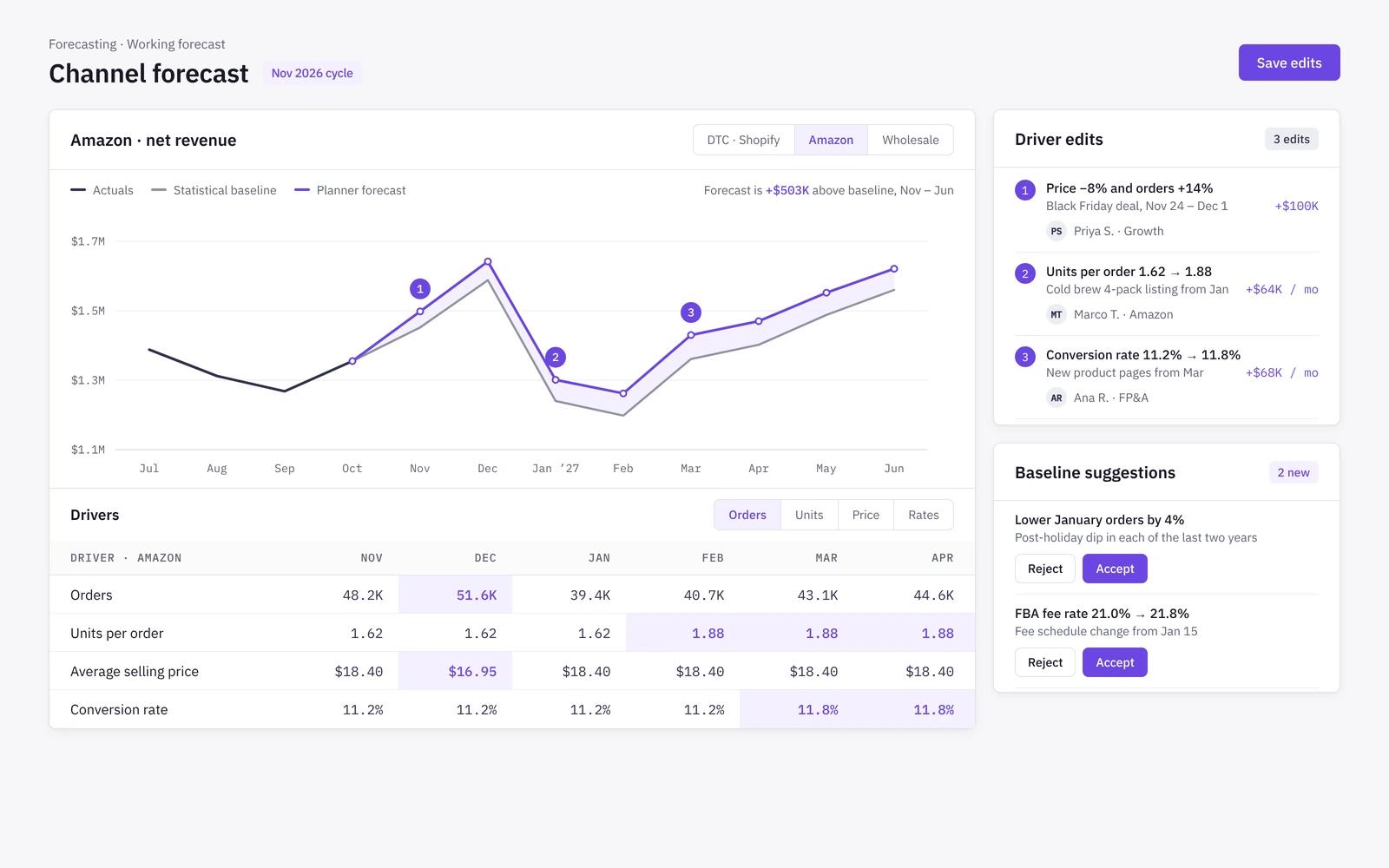
Every forecast starts from an AI baseline built from your own orders and costs, spread into drivers by channel and month. Your edits sit on top, and removing an edit brings the baseline back.
- Orders, units, price and rates per channel
- Edits are visible as changes to the baseline
- Accept or reject baseline suggestions
- Thin history is labelled, never filled with zeros
Rolling
Re-cut monthly, locked as a committed version
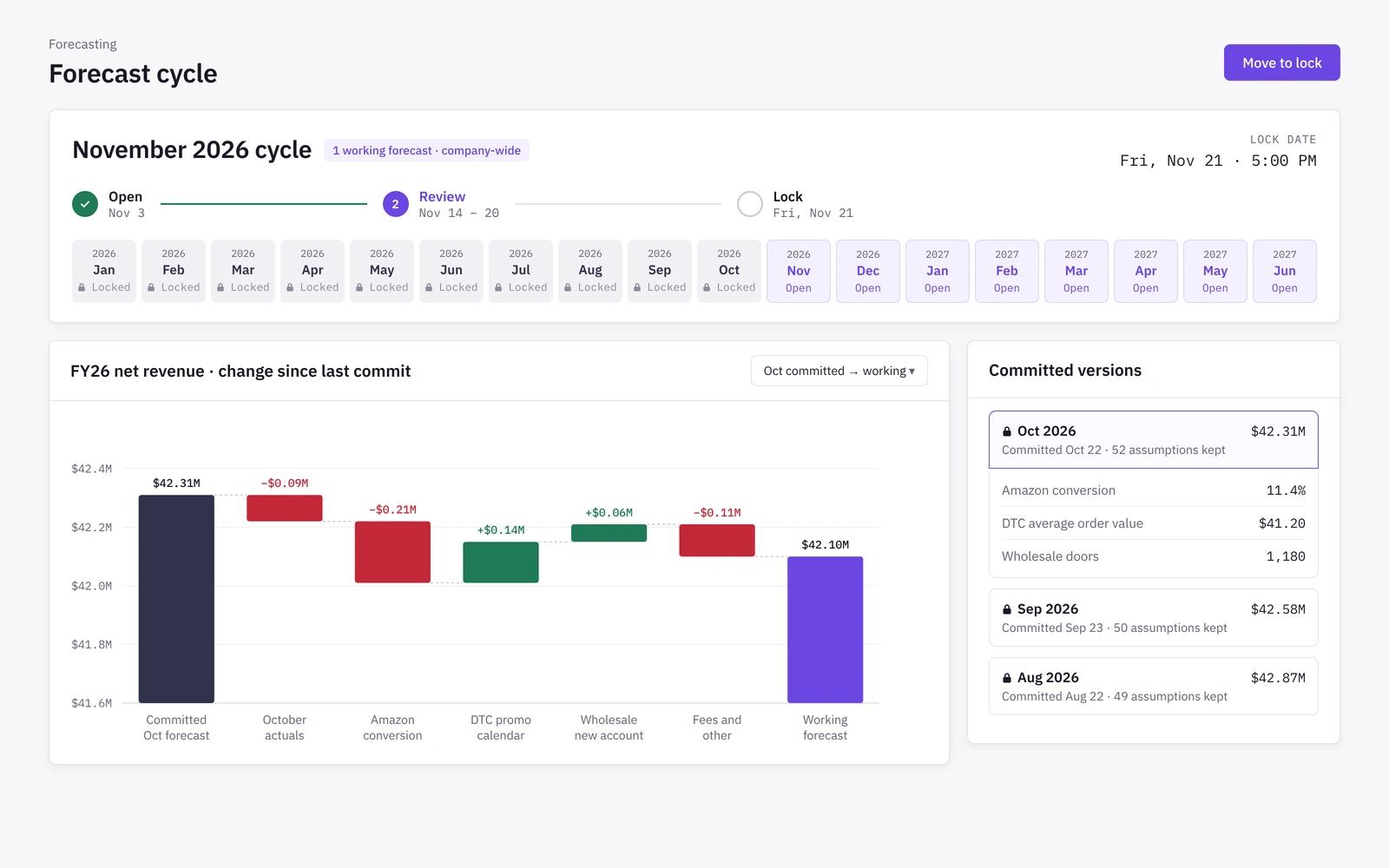
Each month the cycle opens, closed months switch to actuals, and the forecast rolls forward. When the CFO locks it, that version is committed and becomes the comparator for the next.
- One working forecast per company
- Monthly cycle: open, review, lock
- Committed versions keep their assumptions
- Forecast change since the last lock, as a bridge
Change events
New channel or new fee, no rebuild
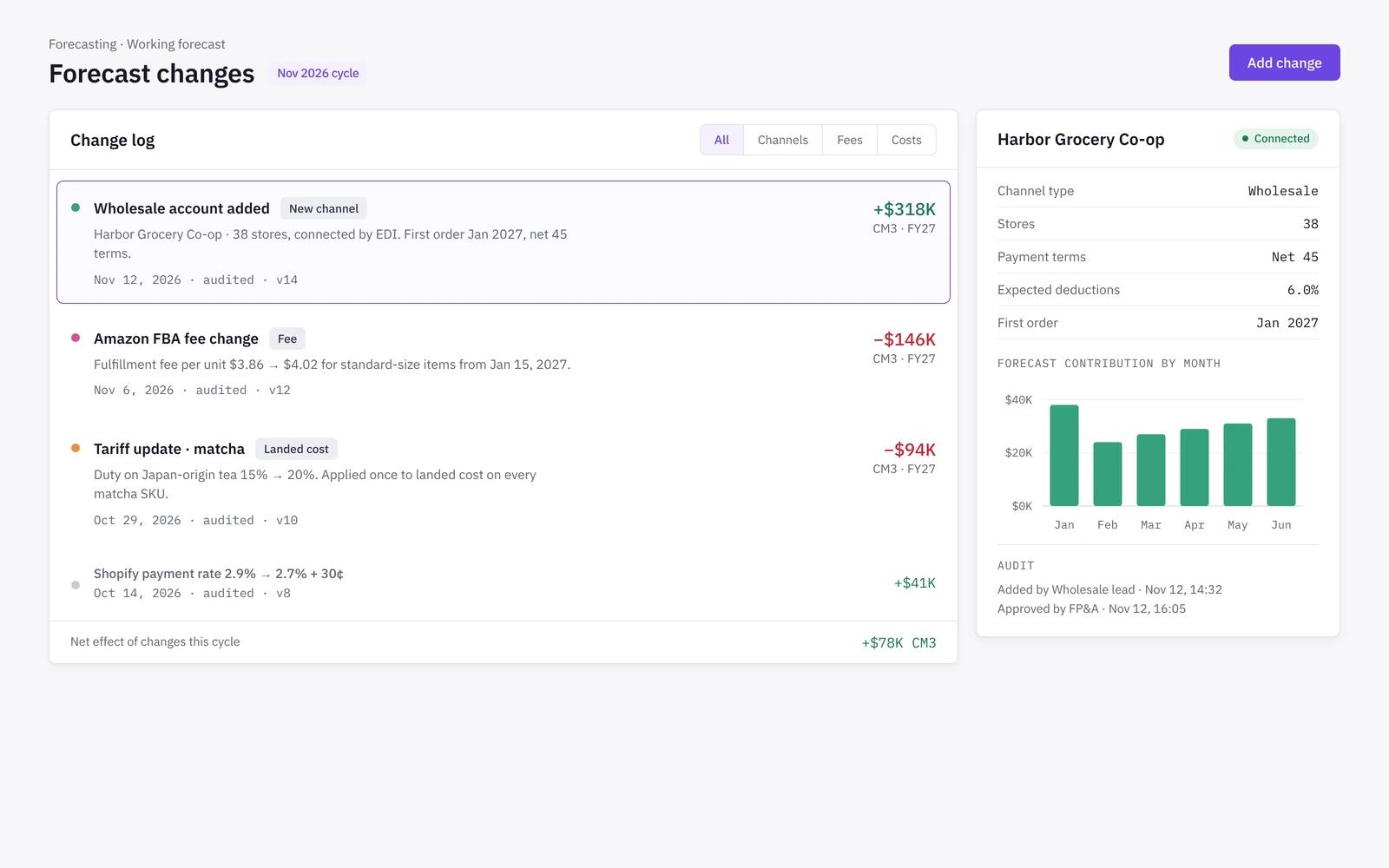
A new channel, fee, tariff, supplier or promo is a change to an input, not a modelling project. The working forecast takes it on, and committed versions keep their pinned assumptions.
- Add a wholesale account as a connected channel
- Update a fee or landed cost once
- Every change is dated and audited
- No formulas to rewire
Sensitivity
See which drivers move the result
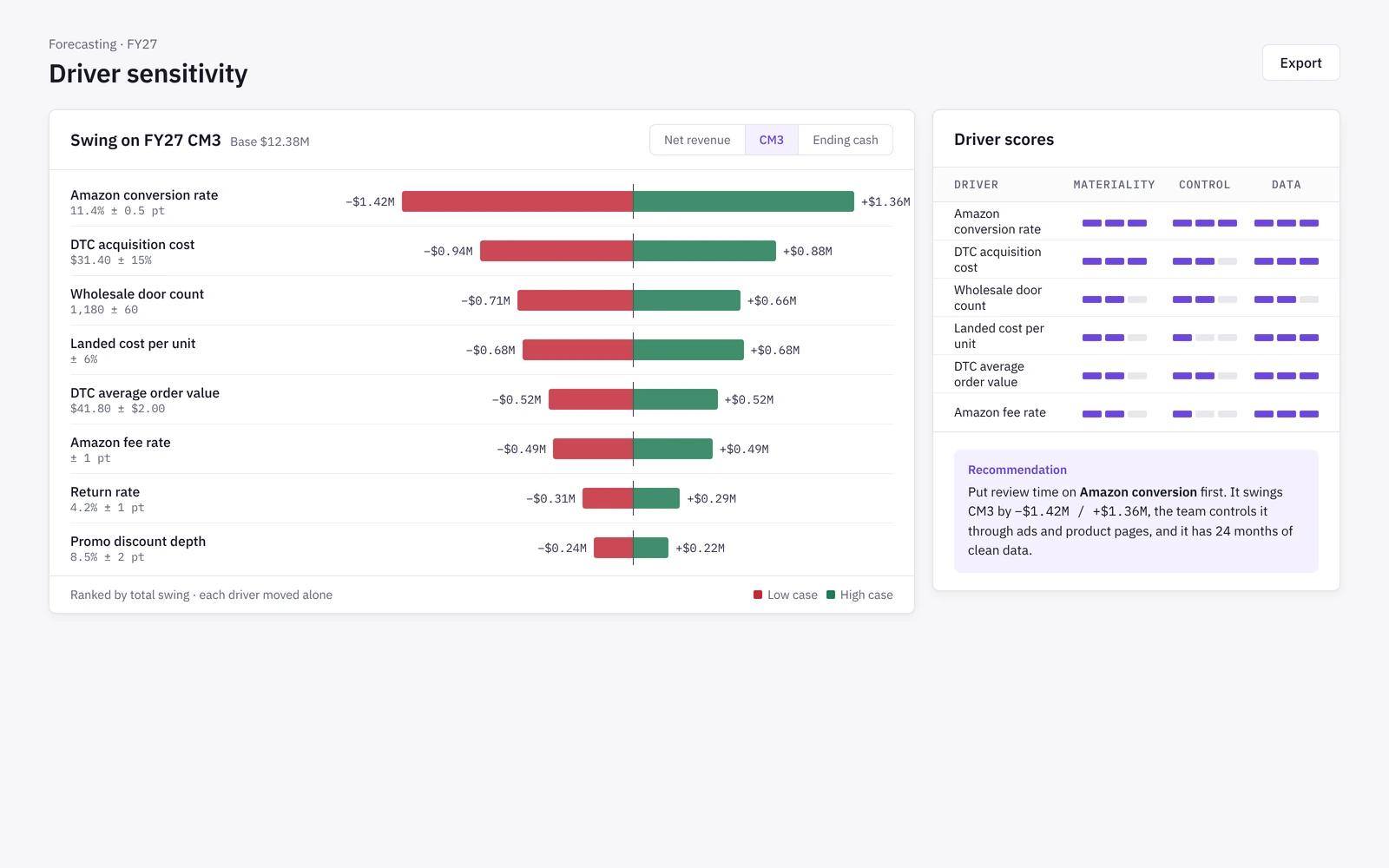
Niblin runs a sensitivity analysis on every driver, moving each one alone and measuring the effect on net revenue, contribution, EBITDA, net income and closing cash. Drivers are ranked so the team plans the ones that matter.
- Tornado view per outcome
- Materiality, controllability and data quality per driver
- A recommendation that cites the numbers behind it
- Drill to channel, category and month
How it works
- 01
Connect
Link your stores, marketplaces, ad platforms and accounting system so actuals land from the source.
- 02
Baseline
Niblin builds an AI baseline from your history and spreads it into drivers for each channel.
- 03
Edit drivers
Planners adjust the drivers they own, with every change tracked against the baseline.
- 04
Lock monthly
After close, the cycle rolls forward and the CFO locks the committed forecast.
Forecasting in spreadsheets vs in Niblin
A spreadsheet forecast works well for one channel and a handful of drivers. It gets harder to keep honest as channels, fees and SKUs multiply and every month adds another copy of the file.
| Spreadsheet model | Niblin | |
|---|---|---|
| Baseline | Spreadsheet modelTrend formulas you maintain | NiblinAI baseline built from your own history |
| Monthly re-cut | Spreadsheet modelRoll columns forward by hand | NiblinCycle opens and closed months switch to actuals |
| Version control | Spreadsheet modelFile names and saved copies | NiblinCommitted versions keep their assumptions |
| New channel or fee | Spreadsheet modelRewire formulas and links | NiblinA dated change to an input, no rebuild |
| Which drivers matter | Spreadsheet modelAd hoc flex tests | NiblinDrivers ranked by effect, with a tornado view |
| Audit trail | Spreadsheet modelCell comments, if anyone adds them | NiblinEvery edit tracked against the baseline |
Frequently asked questions
How often does Niblin re-forecast?+
The forecast is re-cut monthly, after the books close. Closed months switch to actuals and the horizon rolls forward. Between cycles, change events such as a new channel, fee or tariff update the working forecast so it never waits for the next re-cut.
Where does the forecast baseline come from?+
Niblin builds an AI baseline from your own orders, prices, discounts, returns and costs, by channel and month. It is a starting point, not a black box: you can see the baseline, your edits on top of it, and where history was too thin to support a value.
What is the difference between sensitivity analysis and scenarios in Niblin?+
Sensitivity analysis moves one driver at a time to show how much each one moves profit and cash. Scenarios change several assumptions together, such as entering a retail chain or raising prices. Sensitivity lives with the forecast; scenarios have their own planner.
Can we forecast wholesale and marketplace channels separately?+
Yes. Each channel carries its own drivers, fees, returns and payment timing, so a retail account, Amazon and your Shopify store are forecast on their own terms and then rolled up. Adding a channel does not mean rebuilding the forecast model.
Learn the method
Related solutions
Forecast on drivers, not spreadsheets
A rolling, driver-based forecast for every channel you sell through.
See how Niblin models it